Simple-USB-Communication-on-STM32
Simple USB communication on STM32
This guide will explain how to get a virtual com port working on stm32 so we can get gps and pantilt working for QRC.t
This guide assumes a CMAKE based build
Merge the changes from the simple-usb-stm32 branch into your branch (you should see a ROSJam2 folder appear in the git repository)
Merge changes from main into your branch.- Setup the rosjam2 library using the setup-dep.sh script(for Linux) or setup-dep.bat script(for Windows). Those are in the rosjam2 folder.
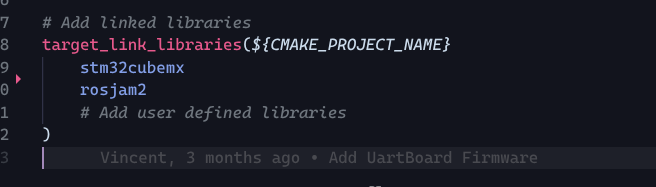
- Add the following lines into the CMakeLists.txt of your project
-
set(CMAKE_EXE_LINKER_FLAGS "${CMAKE_EXE_LINKER_FLAGS} -u _printf_float")
-
add_subdirectory(../ROSJam2/src "${CMAKE_CURRENT_BINARY_DIR}/ROSJam2_build")
-
target_link_libraries(${CMAKE_PROJECT_NAME}
stm32cubemx
rosjam2
# Add user defined libraries
)
The second one (target_link_libraries) should already exist, you just need to add rosjam2 to the list.

-
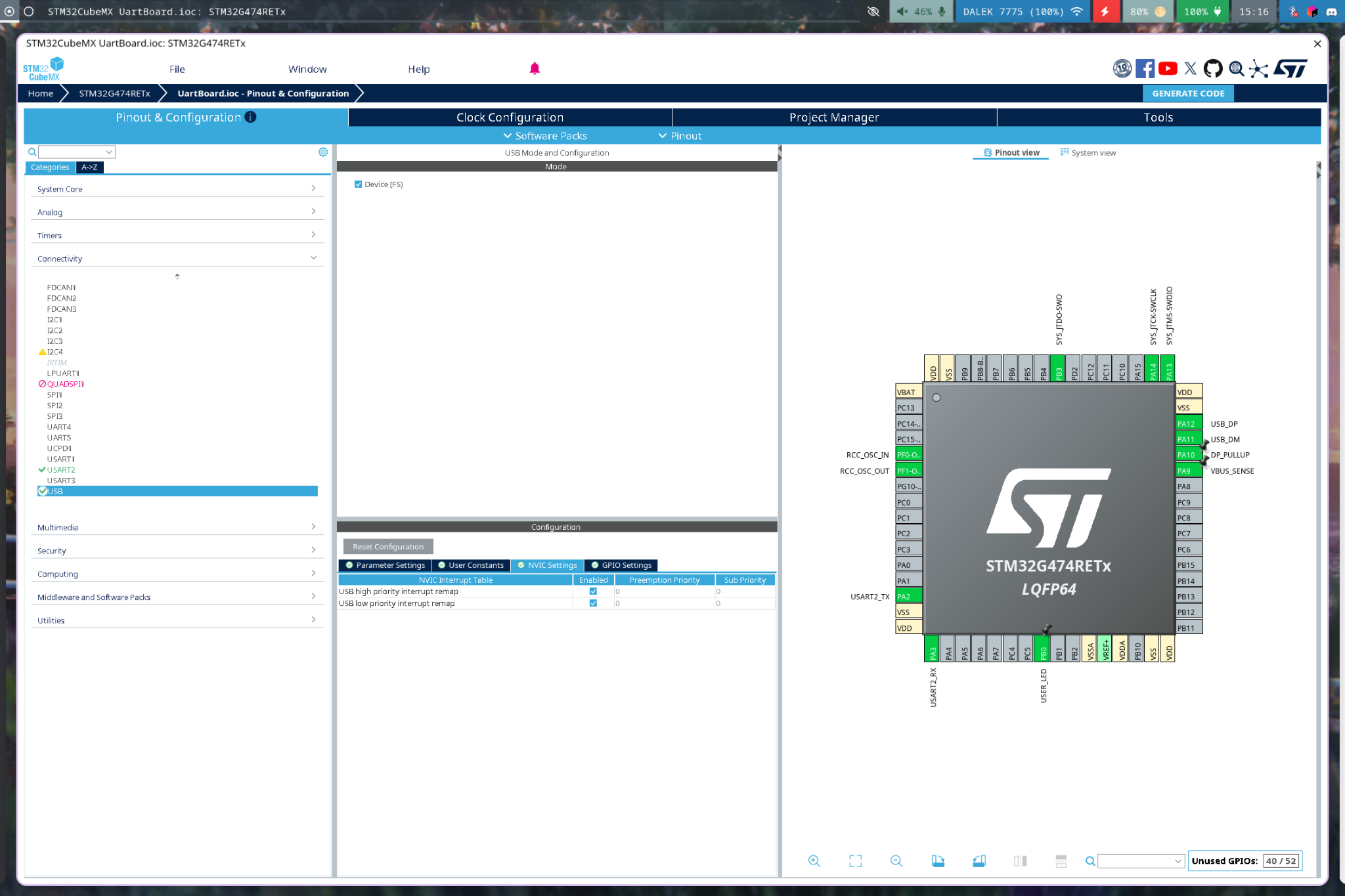
In CubeMX, enable the usb interrupts
-
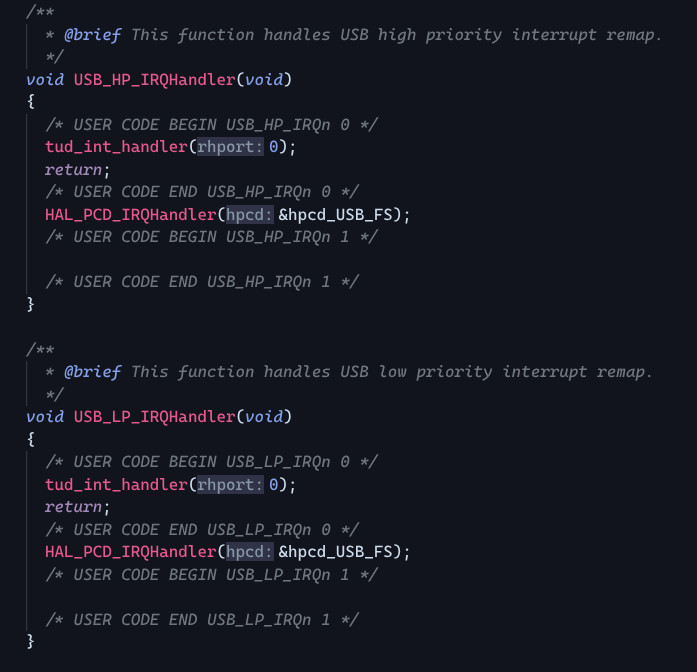
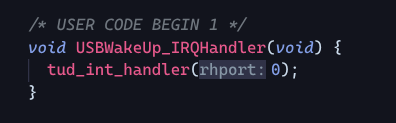
Modify Core/Src/stm32g4xx_it.c with these lines

-
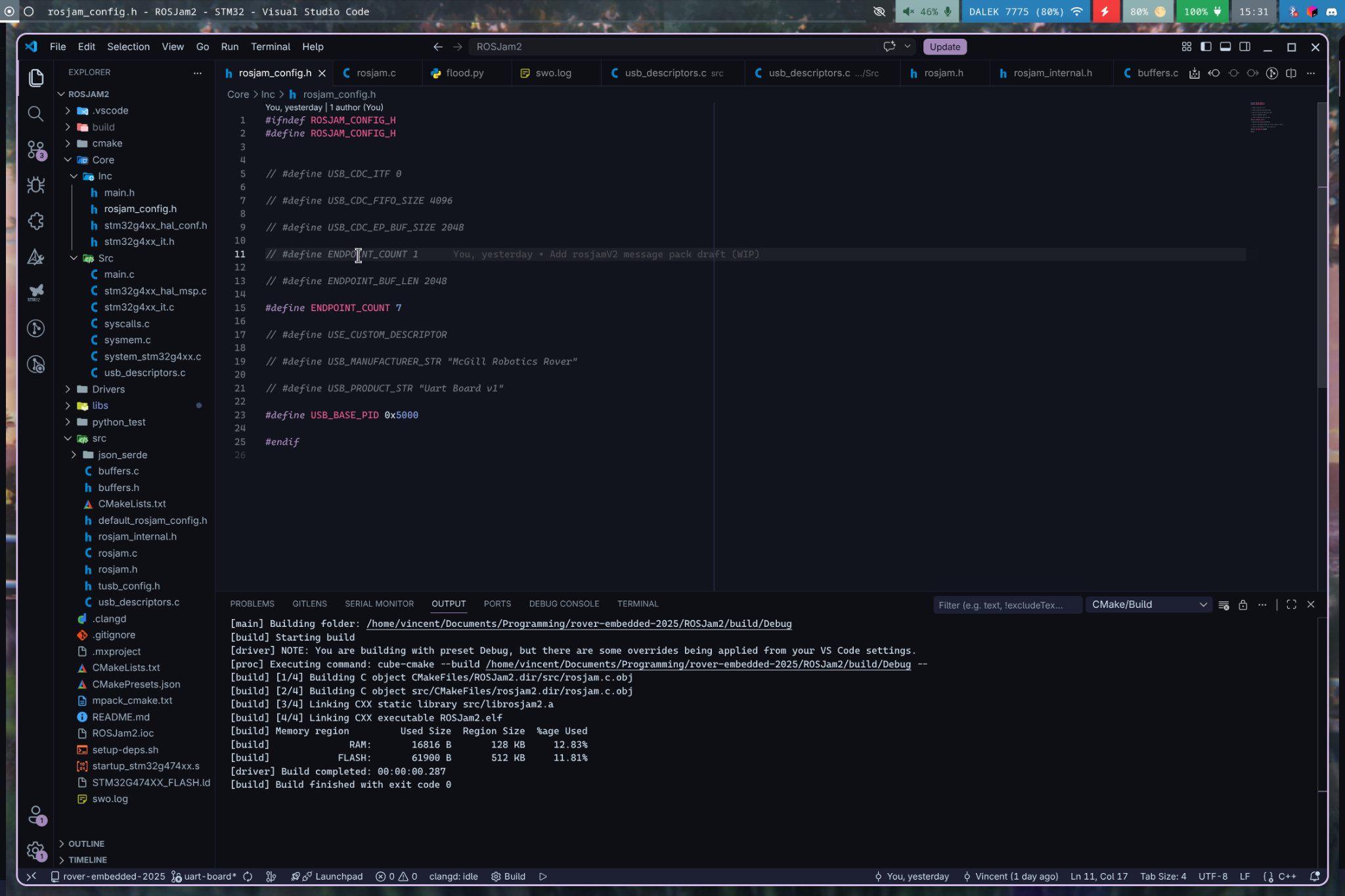
Add a rosjam_config.h file to Core/Inc with the following contents.
Change the USB_BASE_PID to some other number (5001 for pantilt and 5002 for gps for example, as long as they dont conflict with another board)
-
Add these to main to enable the usb communication

(with other includes in the file)

(before the main loop)

(in the main loop)
⚠️ Note: process_simple must be called in the main loop otherwise the USB connection will not work
- Use these functions to implement the communication to usb (do not use the other functions in rosjam.h they don't quite work yet)
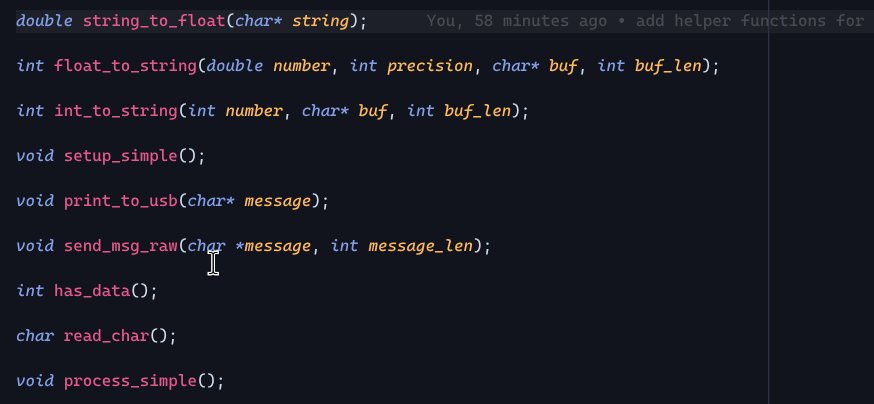
⚠️ Note: you can also use functions available in tinyusb (by including “tusb.h”) but these should be sufficient to replicate the old firmware’s behaviour on the new boards.