Rover 2025-2026
USB Fundamentals
Overview
This document will cover common terminology for USB and guidelines for implementing a USB device (at USB 2.0 speeds). A quick overview of USB versions and the data rates supported is given. Then a description of required circuitry at the physical layer for implementation of a device with microcontrollers is given. That section also covers obtaining power through USB. This document ends with descriptions of terminology and common use cases for USB devices in software with short tutorials on setting up a USB stack for STM32 microcontrollers.
USB Speed and Versions
USB 1.0/1.1
Usually referred to as USB LS (Low speed). Has a speed of 1.5 Mbps.
USB 2.0
USB 2.0 can refer to two different data rates: USB 2.0 FS (Full Speed) and USB 2.0 HS (High Speed)
Full speed refers to up to 12 Mbps
High speed refers to up to 480 Mbps
This still only requires a single differential pair to work.
USB 3 (The ones with blue plugs usually)
USB 3.0 is faster than USB 2.0 and can again refer to many different data rates.
In addition to the D+, D- differential pair in USB 2.0, there are 2 more differential pairs SuperSpeed TX (+/-) and SuperSpeed RX (+/-) to achieve data rates and another ground for the signals.
USB 3.0 can have data rates of up to 5Gbps, 10Gbps and 20Gbps (USB-C only)
Unlikely to be found on a microcontroller so this document will not cover this much.
USB 4
This can only be used with USB-C. High data rates of 20Gbps, 40Gbps and 80Gbps. Similar to Thunderbolt 3.
As with USB 3.0, this won't be found on a microcontroller due to the very high speeds so it will not be covered further.
USB Physical Layer
Connectors
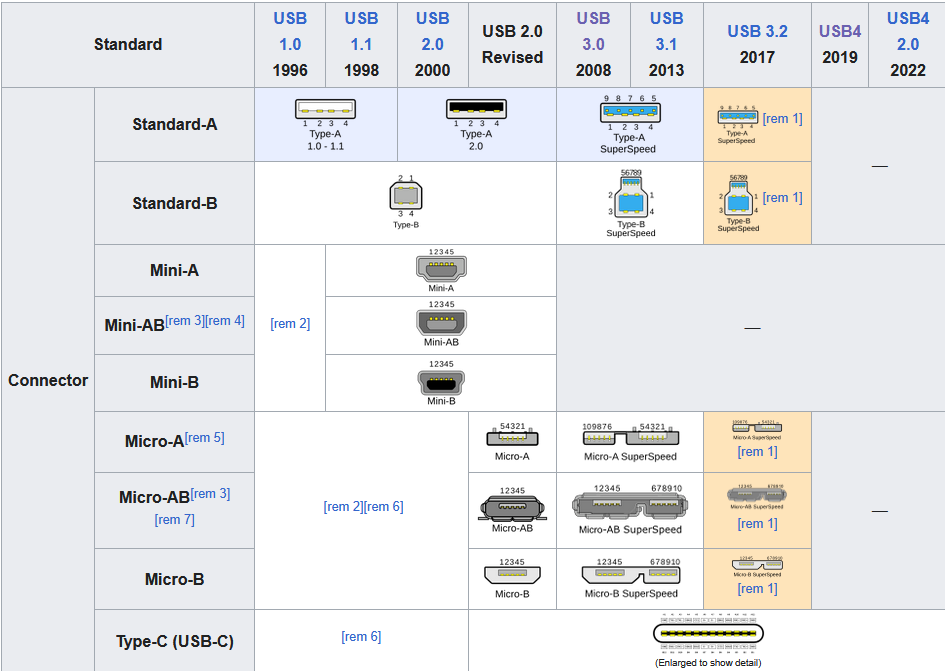
Table of connectors from wikipedia.
Common ones are USB-A/Standard-A (the ones on most computers), USB-B/Standard-B (printers and other large computer attached devices), Micro-B (old mobile phones and portable devices), Mini-B (Old digital cameras?), Type-C/USB-C (newer devices of all sorts)
USB-A / USB-B (USB 1.1/2.0)
The most simple form of USB consists of 4 pins (+ the shield on the connector).
The 4 pins are as follows: VBUS, GND, D+, D-.
D+ and D- form the differential pair that data is sent over.
GND is self explanatory as the ground.
VBUS is a 5V power input (in a device) or output (in a host)
USB-C
Common pins on USB-C 2.0
- VBUS: 5V power input
- GND: Ground
- DN1, DN2: Data – (1 and 2 are because 2 pins are present for each connection of the differential pair because USB-C is reversible)
- DP1, DP2 : Data + (see note above)
- CC1, CC2: Configuration Channel(CC) pins for setting the max current requested by a device. On a simple device, resistors should be placed here and on devices with Power Delivery, these pins should go to the PD chip (See more details in USB-C subsection of the USB power section)
- SBU1, SBU2: Sideband use for usb alt modes (display etc.)
- Shield: Connects to metal shield of the connector (USB-C spec asks to connect this to ground)
USB-C 3/4 won't be covered(it has more pins).
USB Micro B
In addition to the 4 standard pins, micro b also will have a fifth ID pin for USB OTG (when mobile phones act as a USB host) as this document does not cover implementing USB for a host, this should be disconnected.
USB Power
For USB devices, they may be bus-powered or self-powered. In a bus-powered application, the device will exclusively use VBUS to power itself. Thus anytime the device is turned on, it will be through the USB connection toa host. In a self-powered device, the device will have a second power supply that is separate from the USB connection. In this case, the device should monitor the VBUS voltage (see VBUS sensing) to determine when it is connected and use that to set up its firmware to inform the host it is connected (See Software section and D+ pull up section).
Getting power with USB-C
Unlike older USB connectors, USB-C has additional pins for specifying how much power a device should receive. These are the 2 CC pins.
Simple device (No USB-PD)
For simple devices that only require 5V and less than 3A, it is sufficient to connect resistors from the CC pins to Ground (there should be one resistor per CC pin see picture underneath).
To receive up to 3A at 5V a 5.1K Ohm resistors would be used
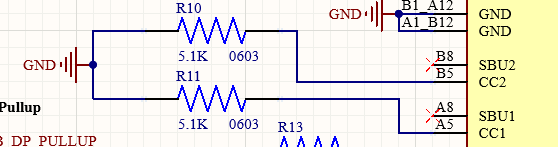
TODO calculation for all possible required current values
USB Power Delivery (USB-PD)
Newer USB-C devices can require more power (like a laptop or fast charging on a smartphone) so there exists a way for a device to demand more than 15W (3A at 5V) over a USB-C connection. To achieve this, devices will use the CC (Configuration Channel) pins to send information about the power it requests or can deliver.
Usually a USB-PD chip is required and it will have 2 pins meant to be connected to the CC1 and CC2 pins.
Supporting components on your PCB
This section is mainly relevant for USB 2.0 FS (See USB Speed and Versions section for details on what that means)
Termination resistors
Some microcontrollers require termination resistors on the D+ and D- lines. These should be placed close to the pins on the microcontroller. The value can vary (check the datasheet for you mcu).
Note: STM32G474RE does not require them as the appropriate resistance is built into the mcu.
VBUS Sensing
In a self-powered USB device, the device must be able to set up its firmware to initiate a connection when a cable is connected from itself to the host. To do this, devices will monitor the voltage on VBUS. VBUS must be above 4.4V to be considered a valid voltage for a connected device.
Monitoring VBUS can be simply done by connecting a voltage divider to a GPIO set as an input. The recommended values for a 3.3V STM32 mcu are 33k Ohm to VBUS and 82K Ohm to Ground.
Note: Some devices have a dedicated pin for VBUS sensing and the voltage divider should be connected to that pin and not any other GPIO.
See ST application note for USB implementation(Section 2.6)
D+ pull up
Like with the termination resistors some microcontrollers have these built-in. If it is not built in, a 1.5K Ohm resistor between D+ and a GPIO pin can be used. This is used to indicate when a device is connected (DP should be pulled up after VBUS is detected to be connected).
See ST application note for USB implementation(Section 3.1.1)
USB Software
TODO: device classes
TODO: Descriptors
TODO: behavior for DP pull up
TinyUSB Setup in VSCode/STM32CUBEIDE(>=2.0.0) with CMake
Based on https://docs.tinyusb.org/en/latest/integration.html
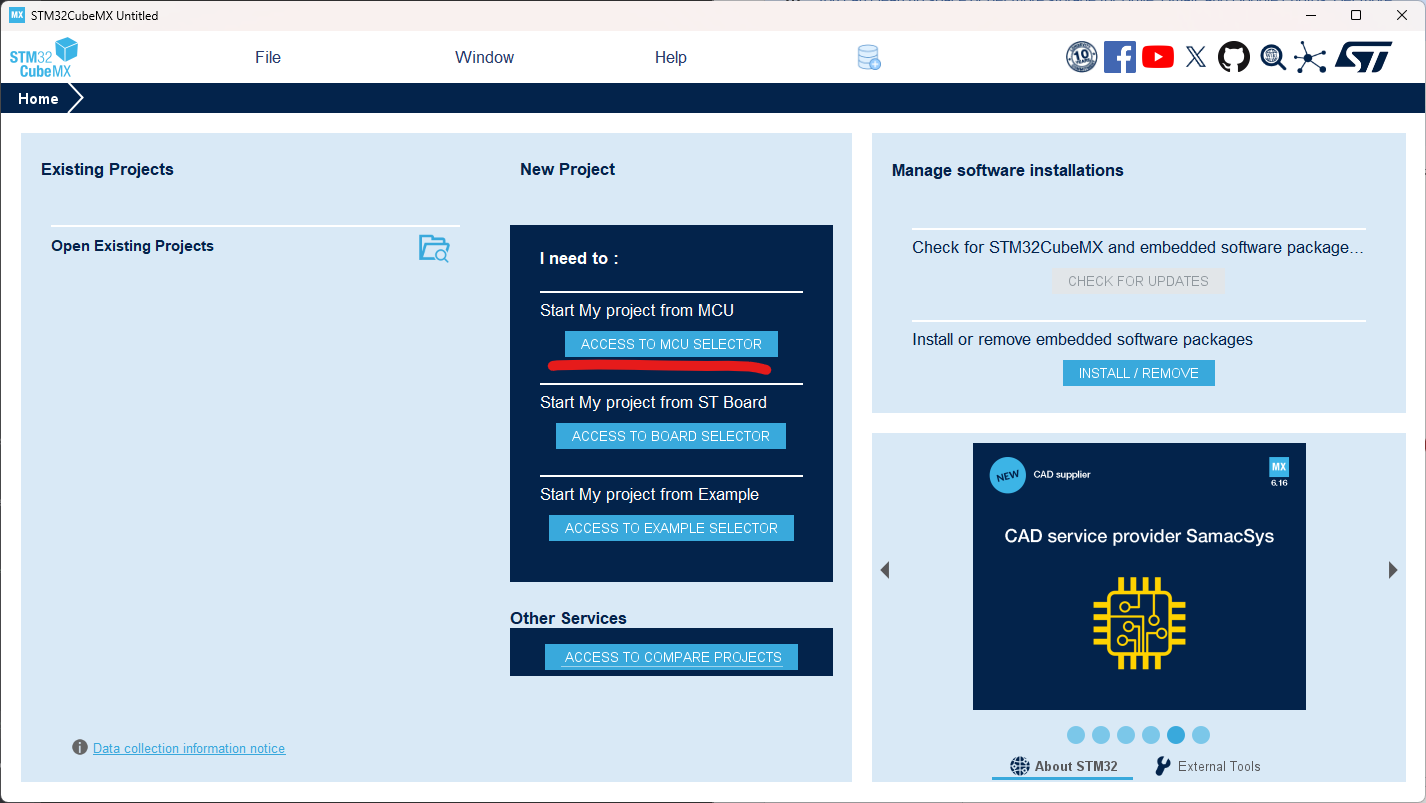
- Create a project with STM32CubeMX
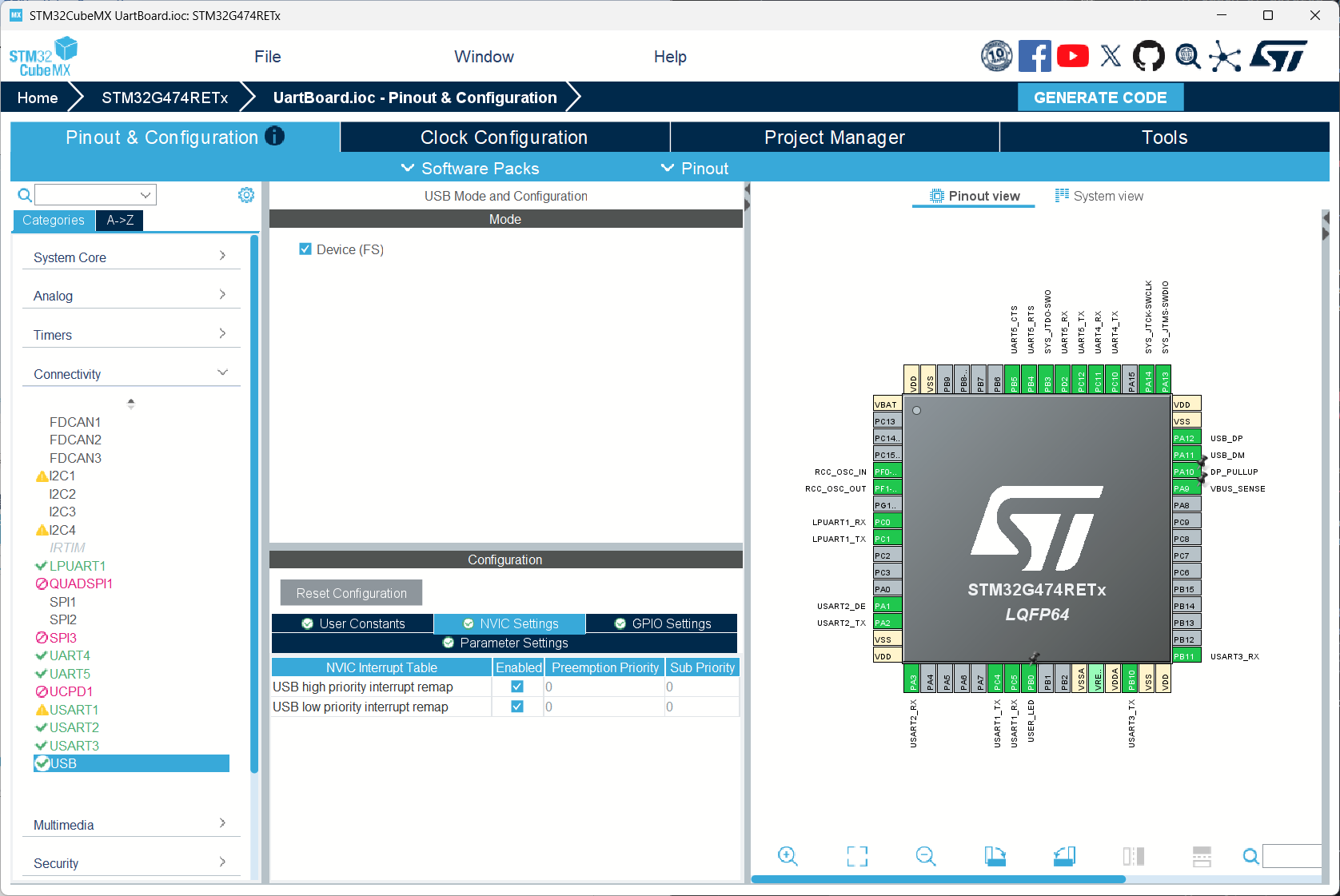
- Enable the USB peripheral and enable the USB interrupt
- Set the toolchain to CMake
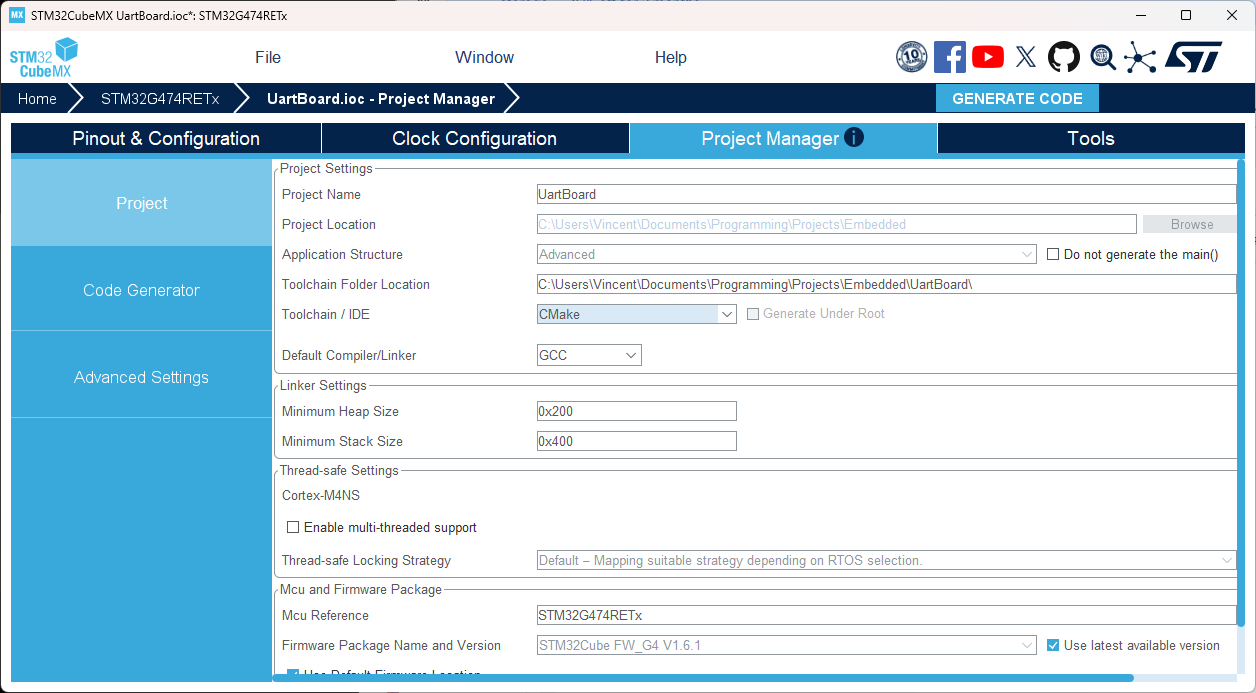
- Generate the code by pressing Generate Code in CubeMX
- Open the project in VsCode (if you’re using CubeIDE skip to step 13 and come back after importing the project)
- Add tinyusb to the project as a submodule (this assumes the project is already a git repository) with
git submodule add https://github.com/hathach/tinyusb libs/tinyusb - Switch to the latest release by doing
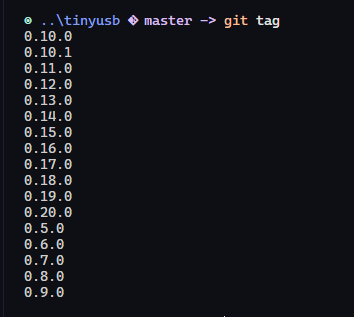
cd libs/tinyusbthen,git fetch --tagsandgit tagto list releases, and finallygit checkout <tag>(ex:git checkout 0.20.0).
- Create your tinyusb files (
tusb_config.h,usb_descriptors.c)
See examples (for dual cdc device): tusb_config.h and usb_descriptors.c.
Note: In these examples some functions related to board support packages(bsp) will not work and will be removed.
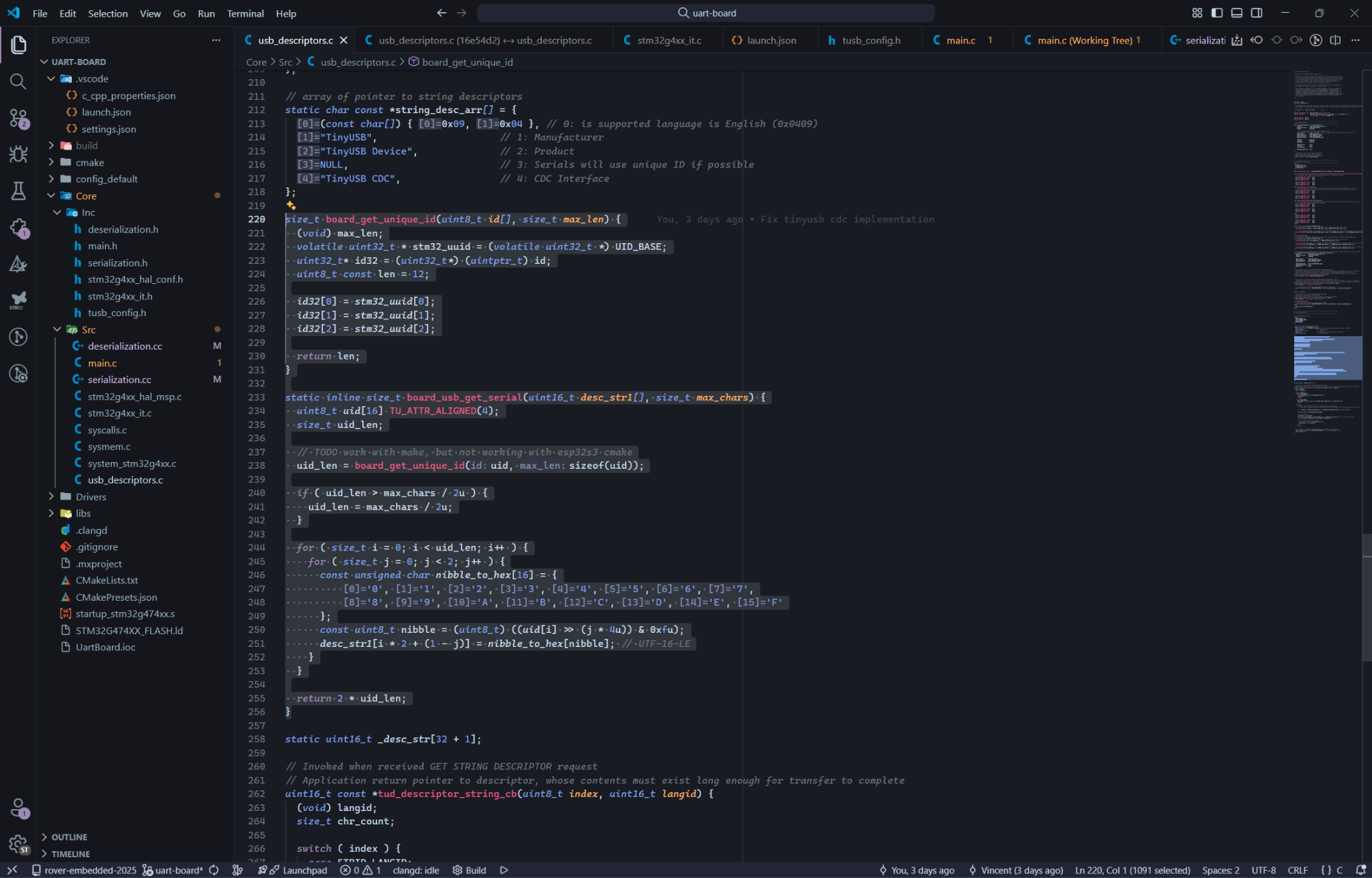
It will be necessary to haveboard_usb_get_serialimplemented. Because this is in the bsp we will have to reimplement it by copying the implementation out of tinyusb’s source files.
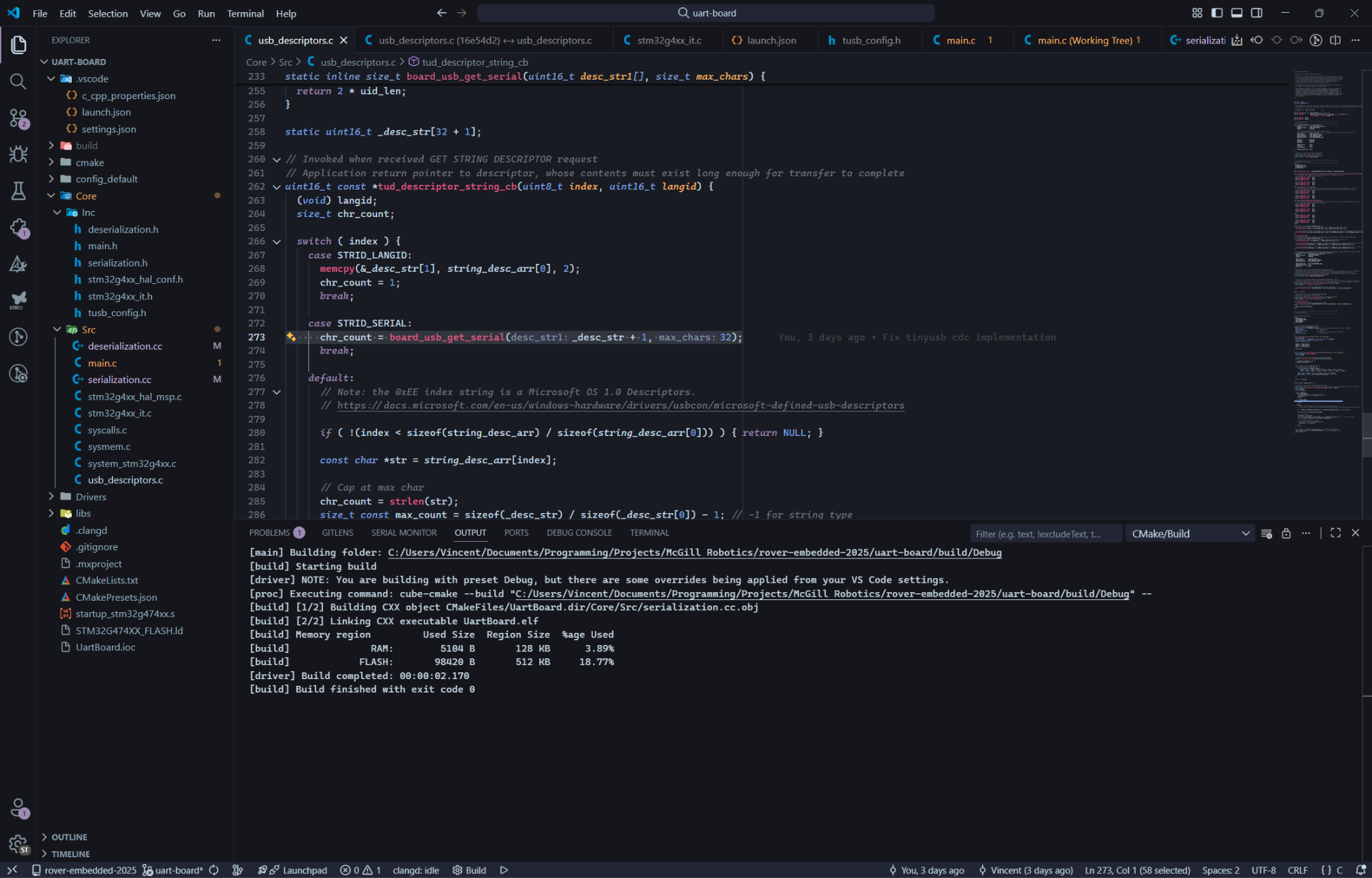
These are the 2 functions required(See this for location of board_usb_get_serial)
board_usb_get_serialrelies onboard_get_unique_idwhich has different implementations depending on board/mcu. An example implementation for STM32G4 can be found here. Implementation for other MCUs can be also found underhw/bsp/<mcu/board family>/family.c.
- Add your microcontroller in
tusb_config.h(in this example it isOPT_MCU_STM32G4)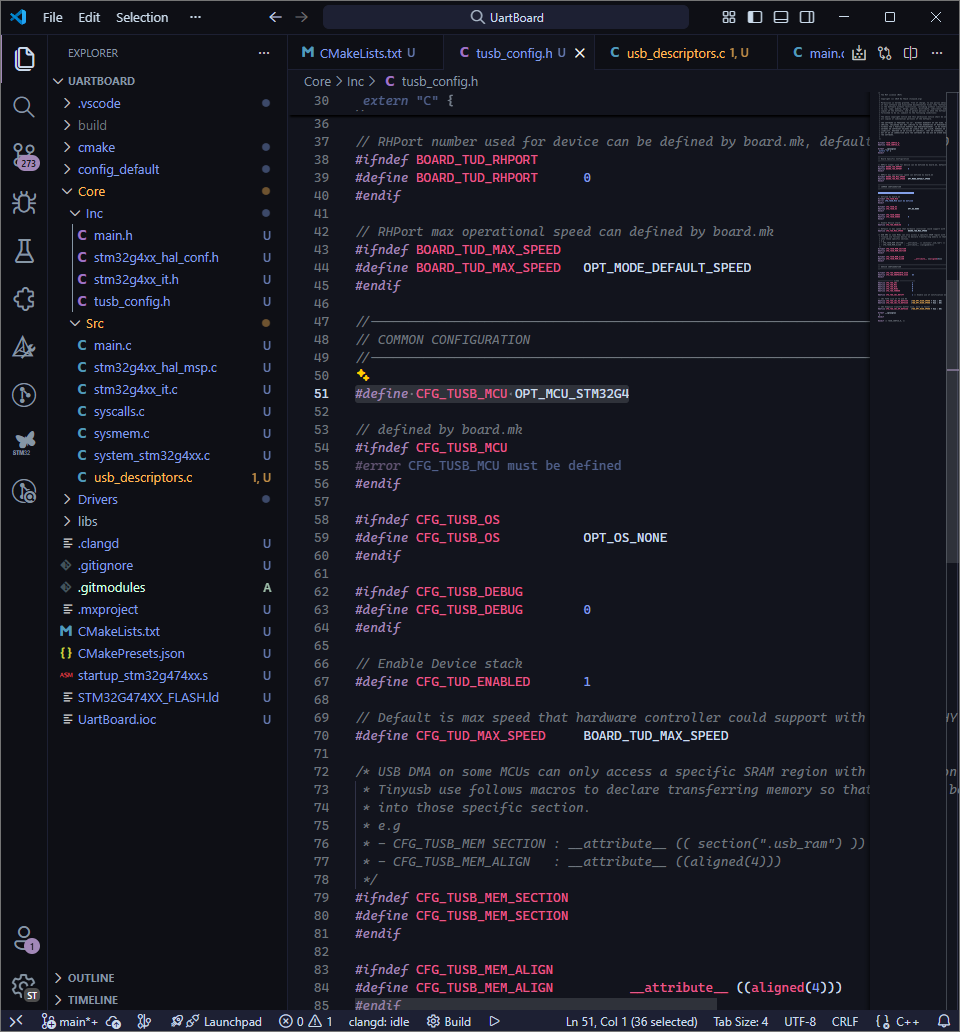
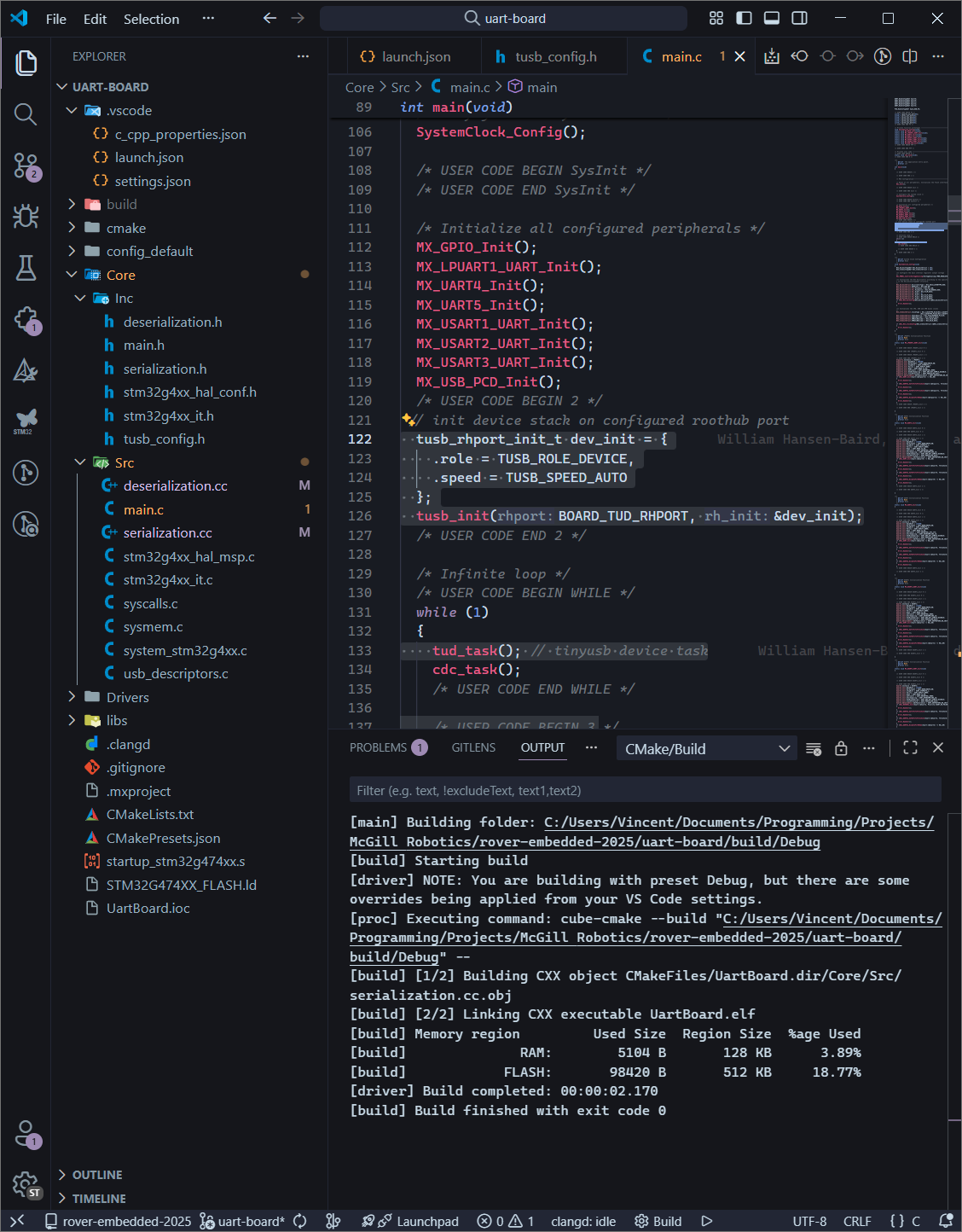
- Add the following to
main.c(includetusb.hand add the basic setup for a tinyusb device)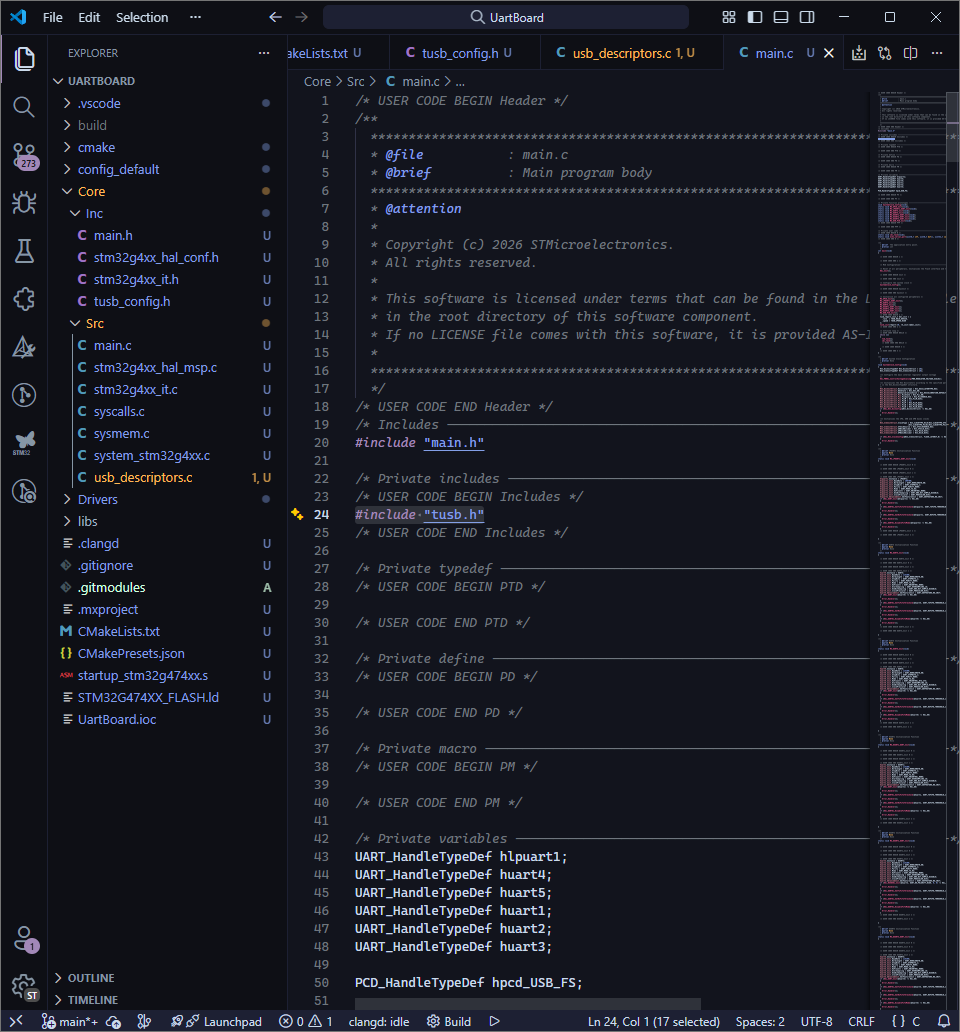
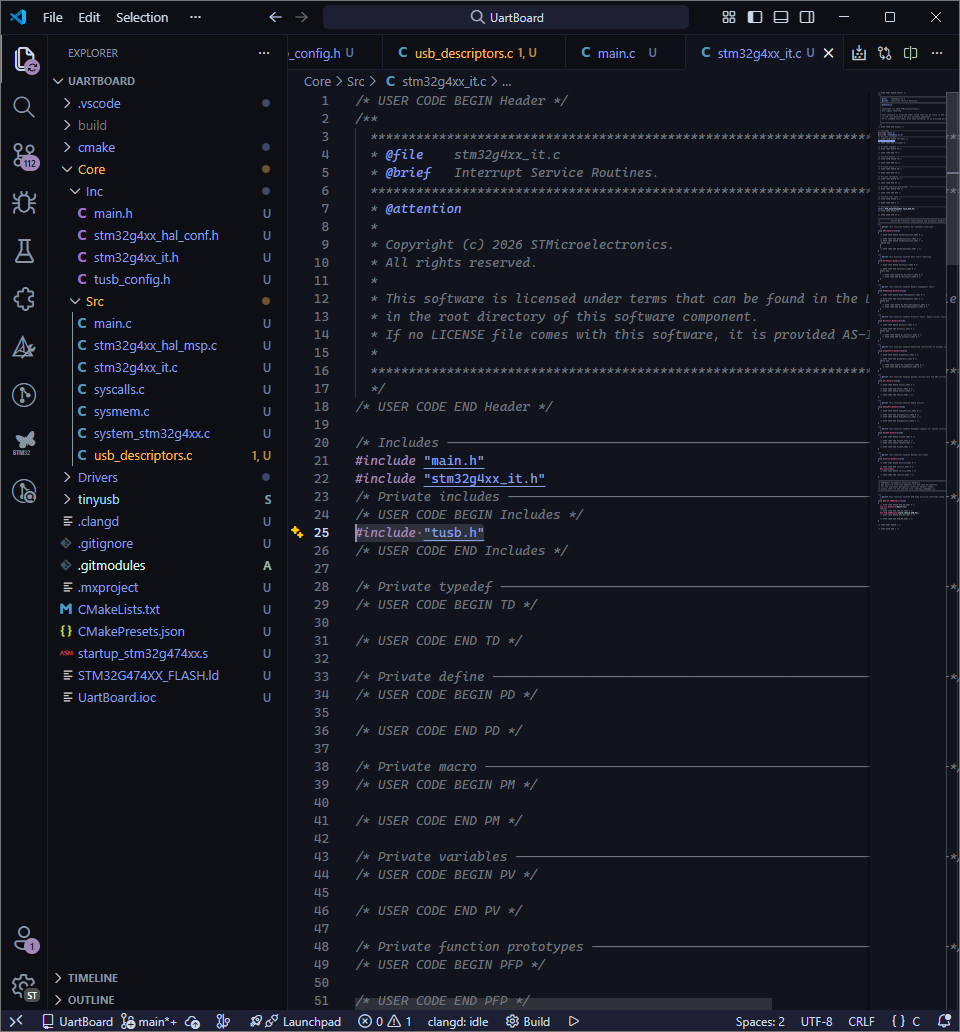
Add tinyusb’s interrupt handler to the USB interrupt enabled in the NVIC (instm32yyxx_it.c, replace “yy” with the series of your microcontroller)
Make sure all USB interrupts are enabled if there are many like on STM32G4
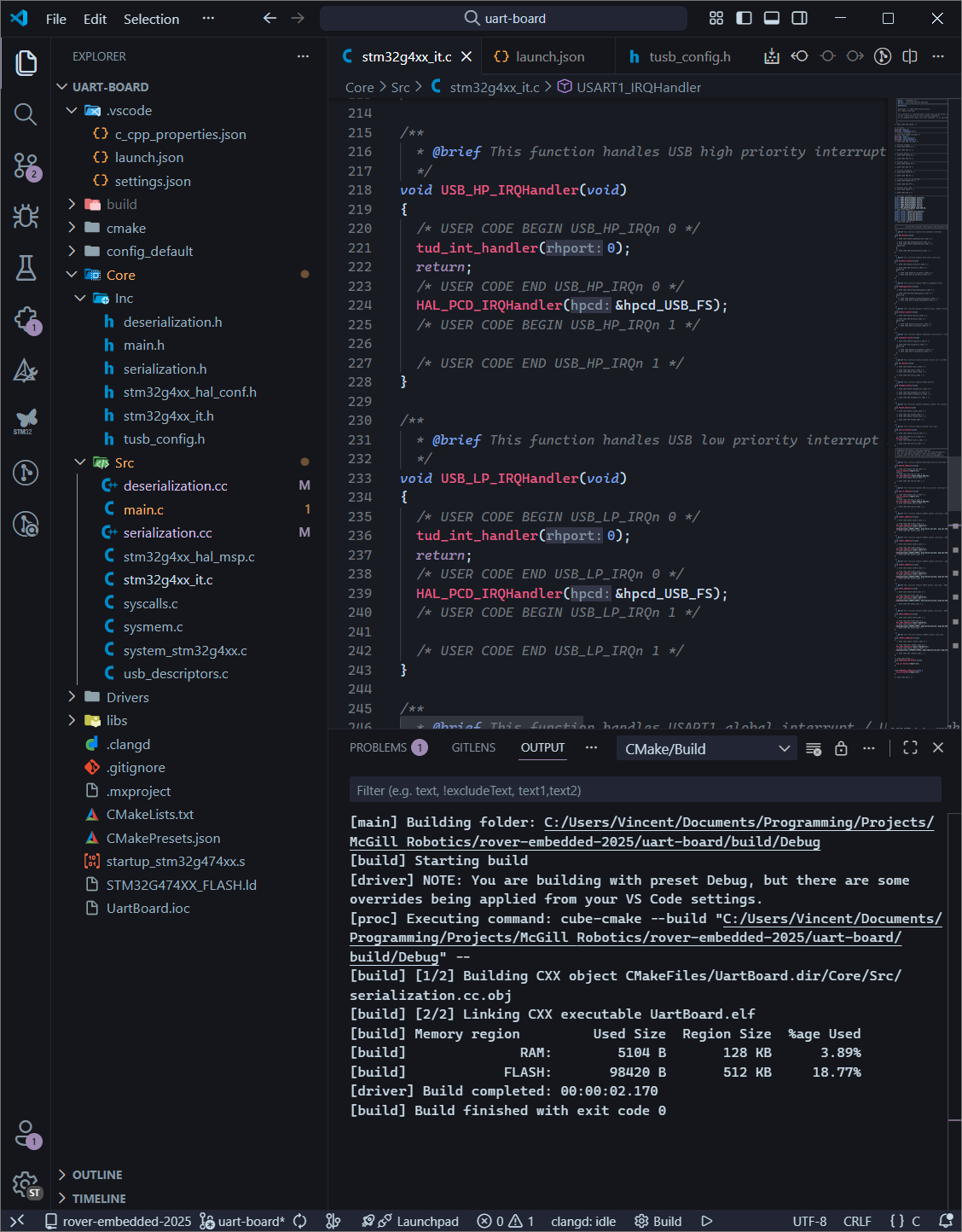
Note: don't forget to includetusb.h
- Add the following lines to the project’s
CMakeLists.txt
This adds the CMake configuration from tinyusb, then uses theirCMakeLists.txtto add the library’s files withtinyusb_target_add. Finally the drivers for STM32 are added to the target sources as well as theusb_descriptors.cfile.
Note: Any additional source (.c) files created later will have to be added to thetarget_sourcessection manually. Additional .h files will be included as long as they are inCore/Inc.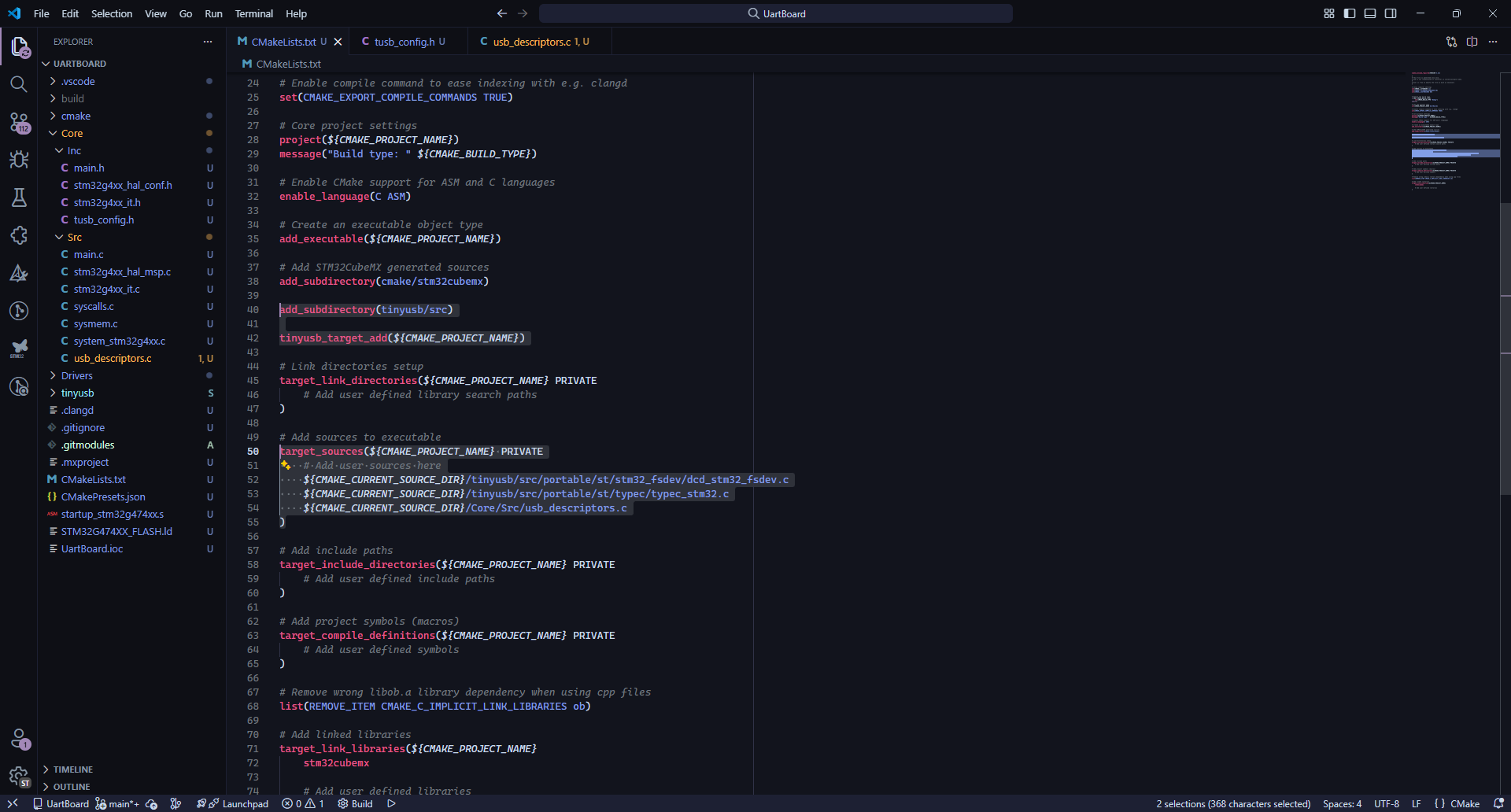
- Note: The next steps are only applicable if you’re using STM32CubeIDE
- Import the project into CubeIDE
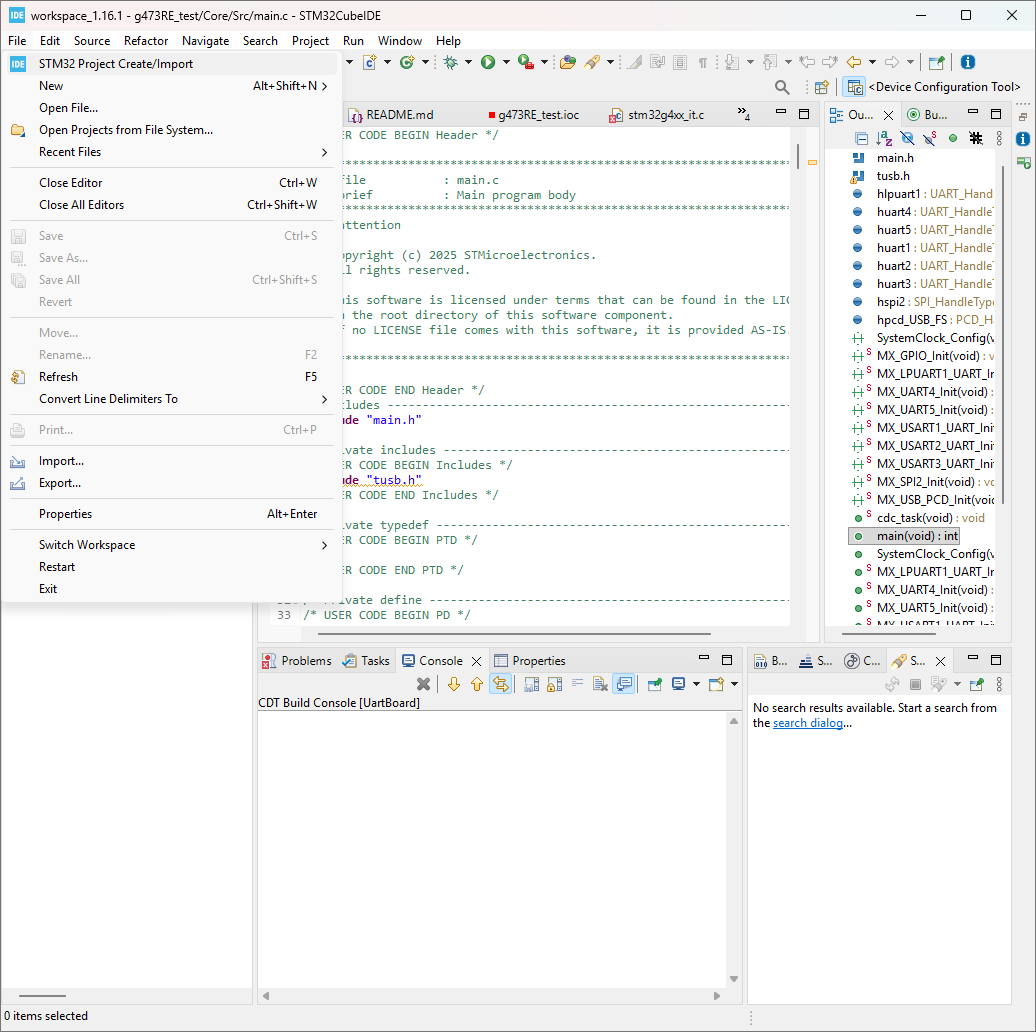
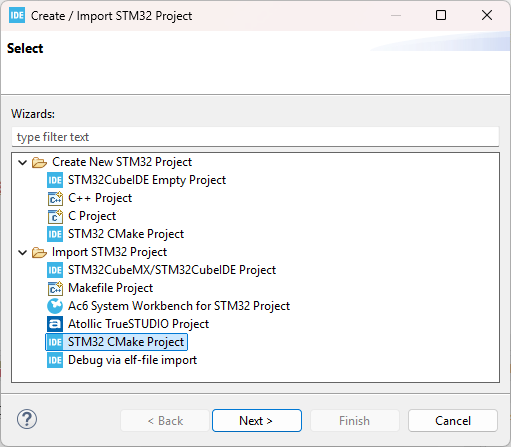
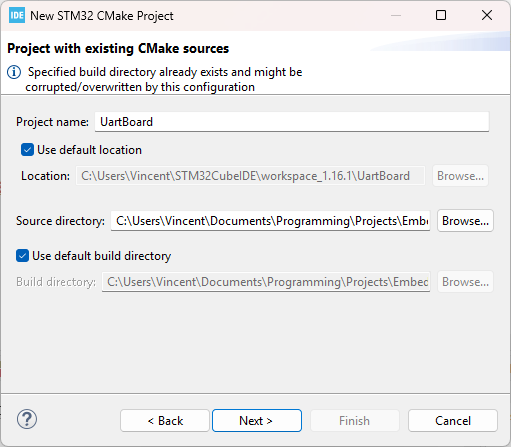
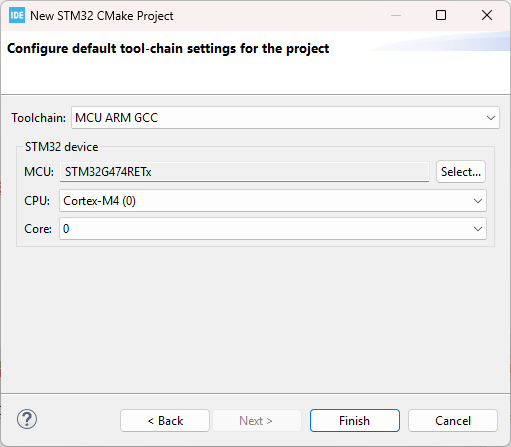
Setup in STM32CUBEIDE <2.0.0
Based on https://docs.tinyusb.org/en/latest/integration.html
- In the .ioc file, enable USB under the connectivity section and enable the interrupt in the NVIC
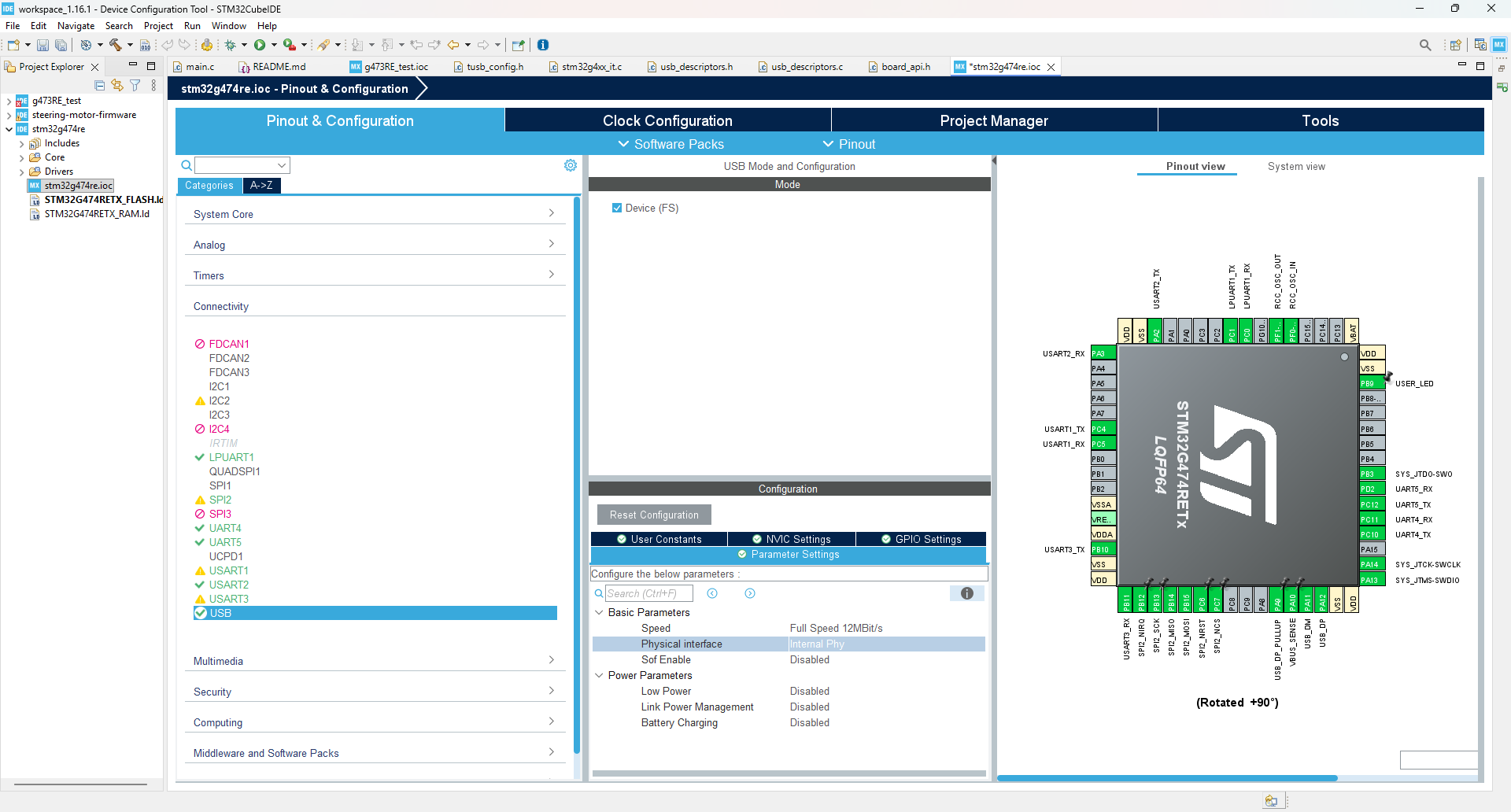
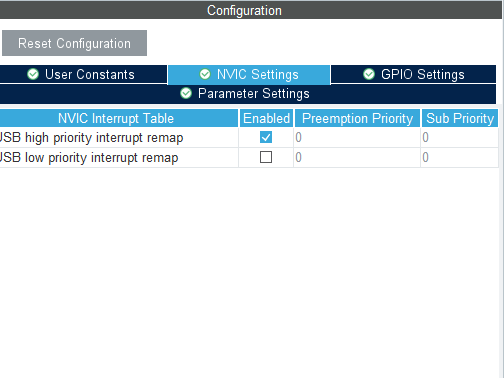
- Get a copy of tinyusb into the project with
git submodule add https://github.com/hathach/tinyusb(assuming your project is a git repository) - Switch to the latest release by doing
git fetch --tagsandgit tagto list releases thengit checkout <tag>(ex:git checkout 0.20.0).
- Refresh project
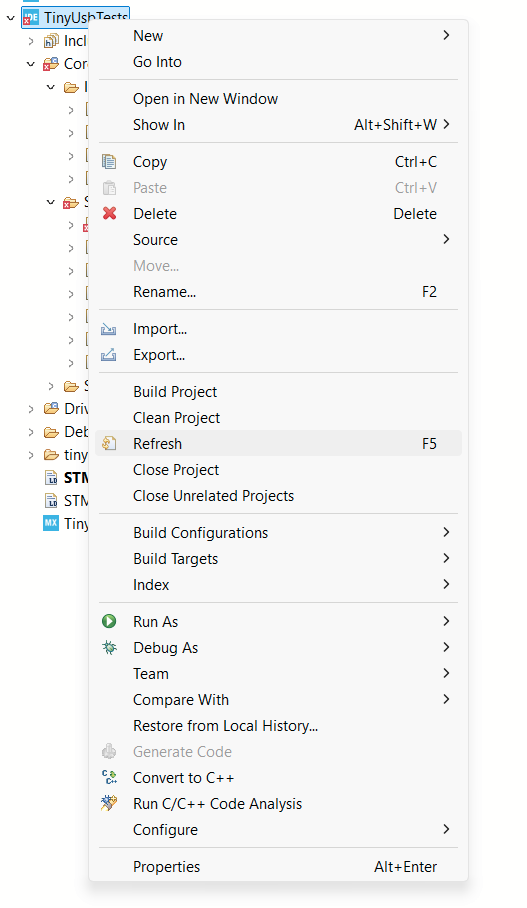
- Add as source folder
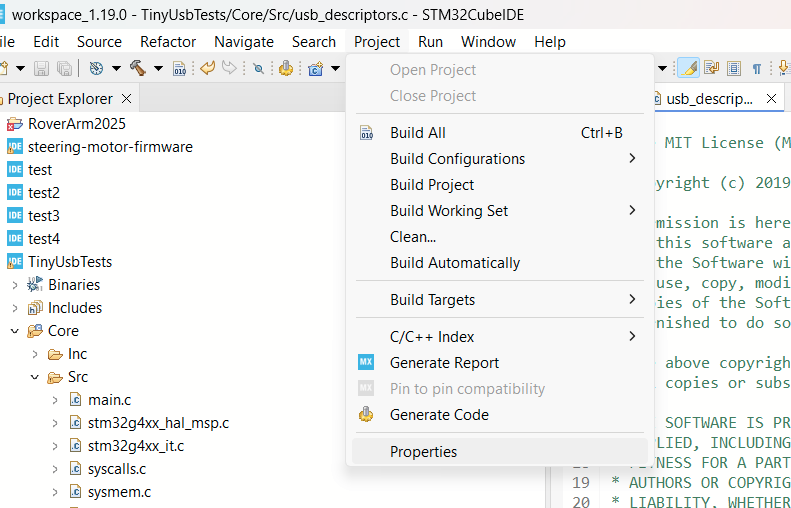
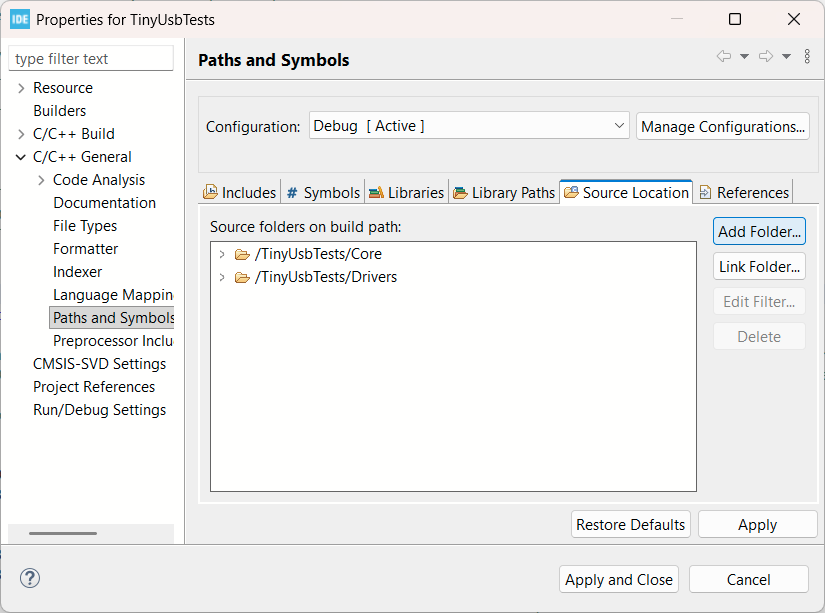
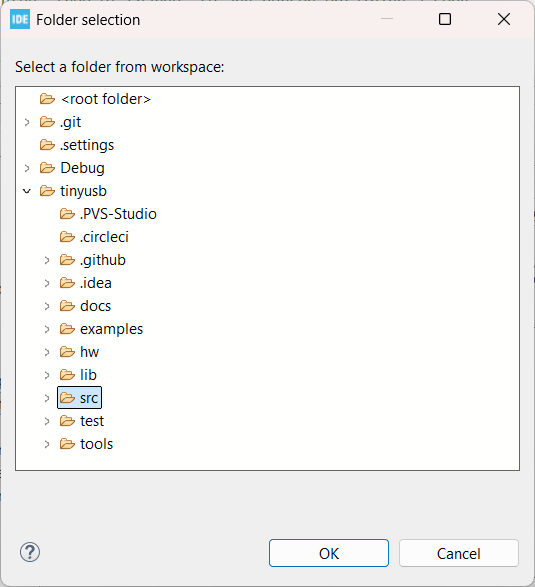
- Edit filter to exclude non stm32 microcontrollers in portable folder
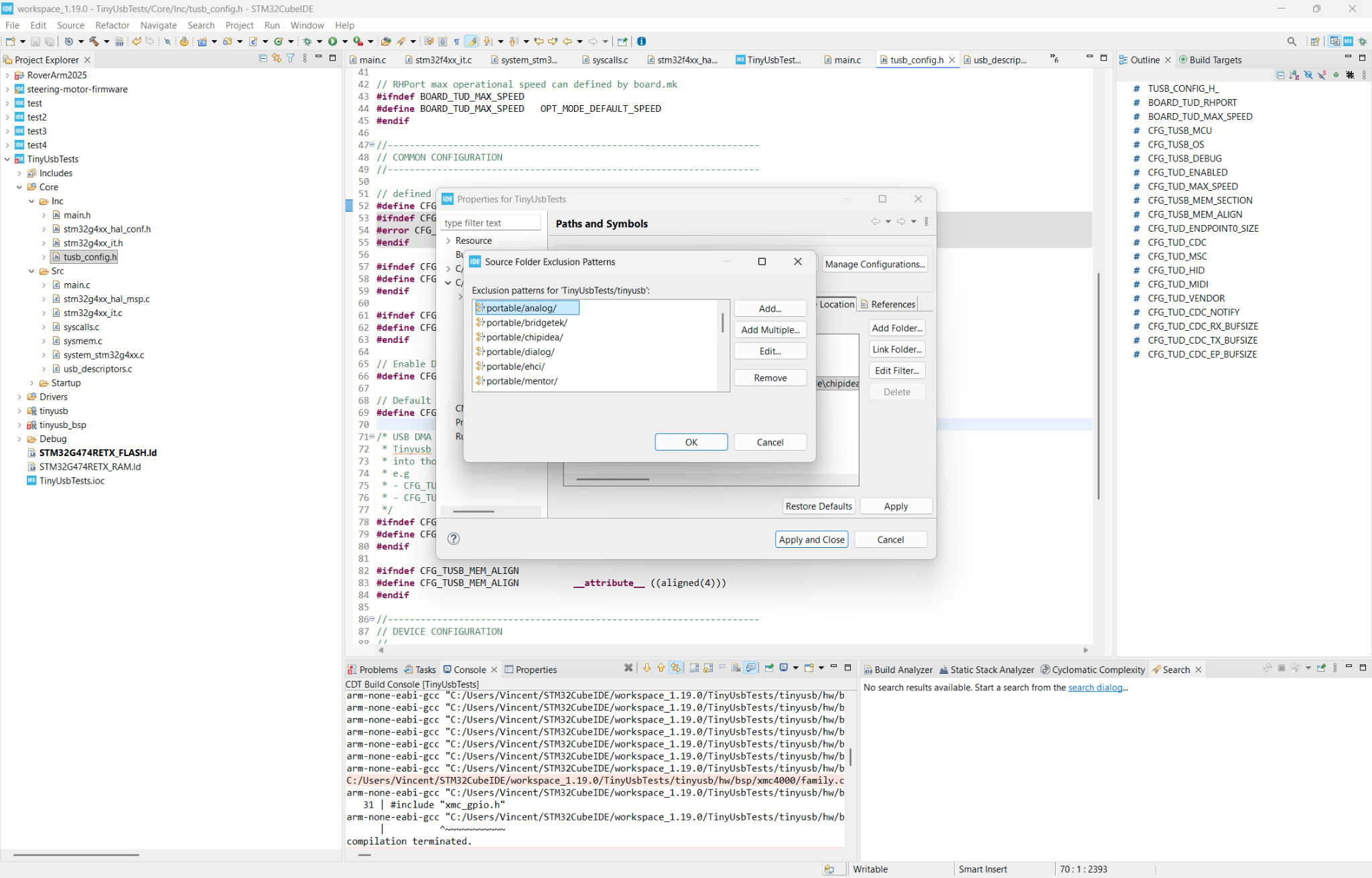
- Add folders to include paths
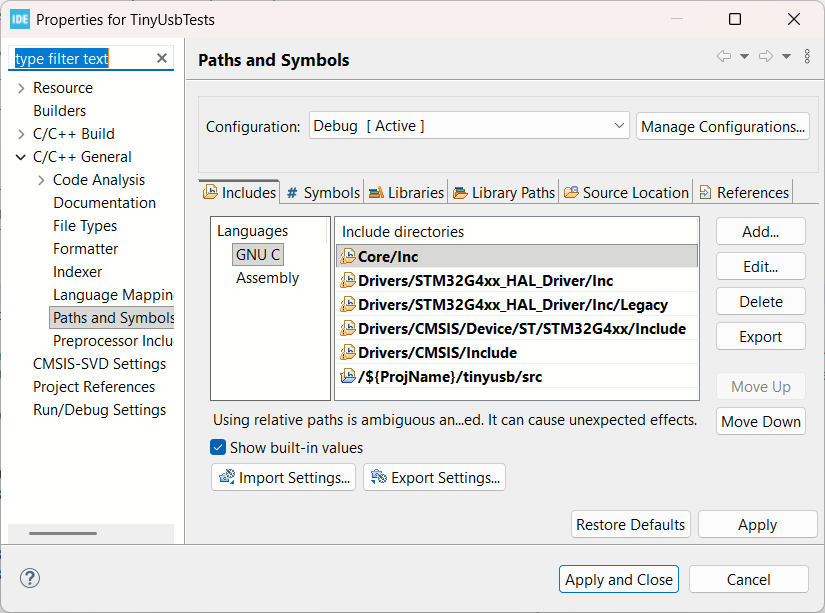
- Create your tinyusb files (tusb_config.h, usb_descriptors.c)
See examples (for dual cdc device): tusb_config.h and usb_descriptors.c.
Note: In these examples functions related to board support packages(bsp) will not work and will be removed. - Add your microcontroller in tusb_config.h (in this example it is OPT_MCU_STM32G4)
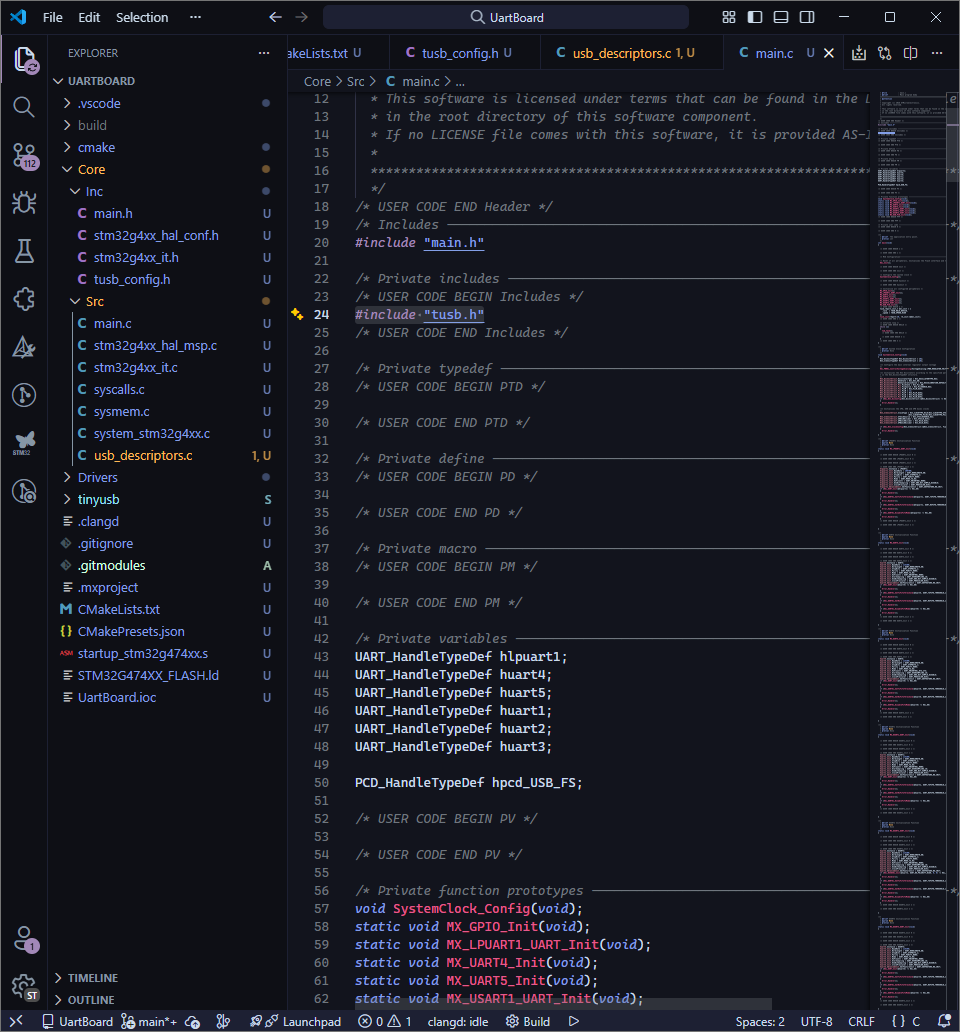
Note: The next pictures will be taken from VSCode but the code to add to CubeIDE will be the same.
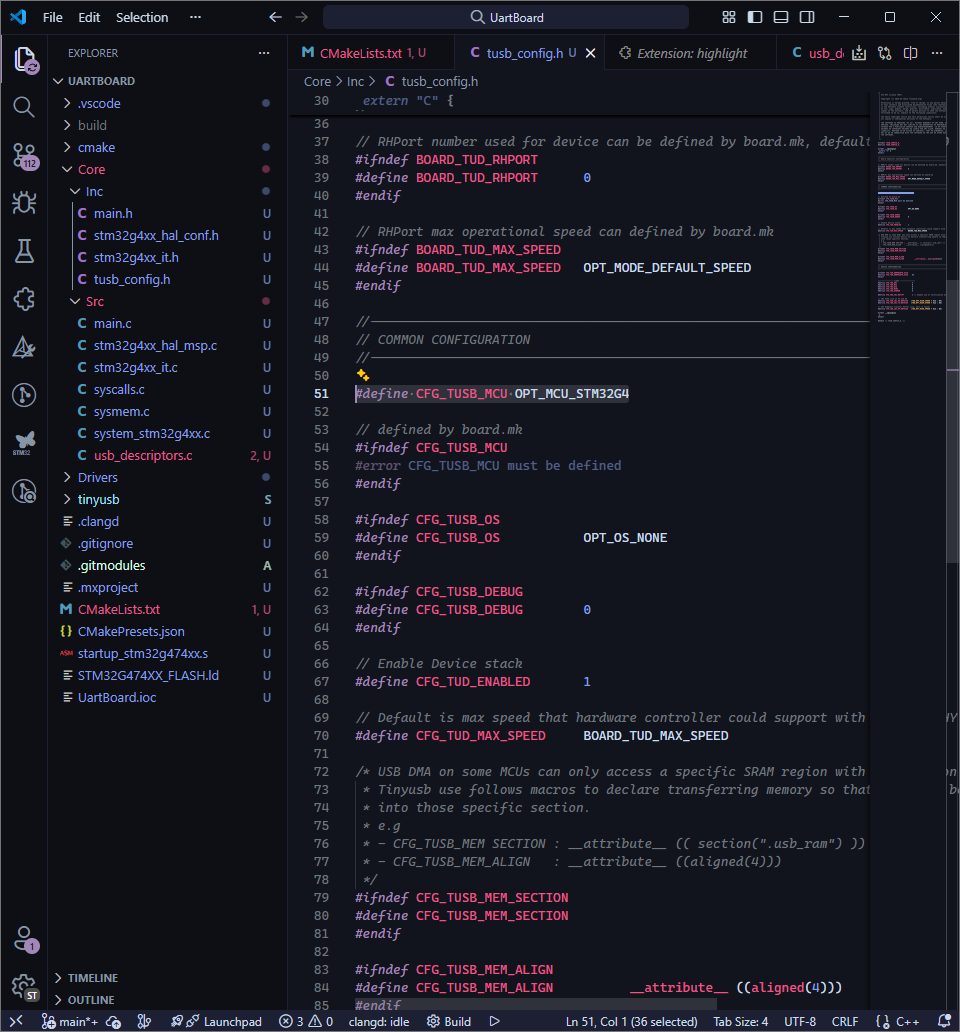
- Add the following to main.c (include tusb.h and add the basic setup for a tusb device)
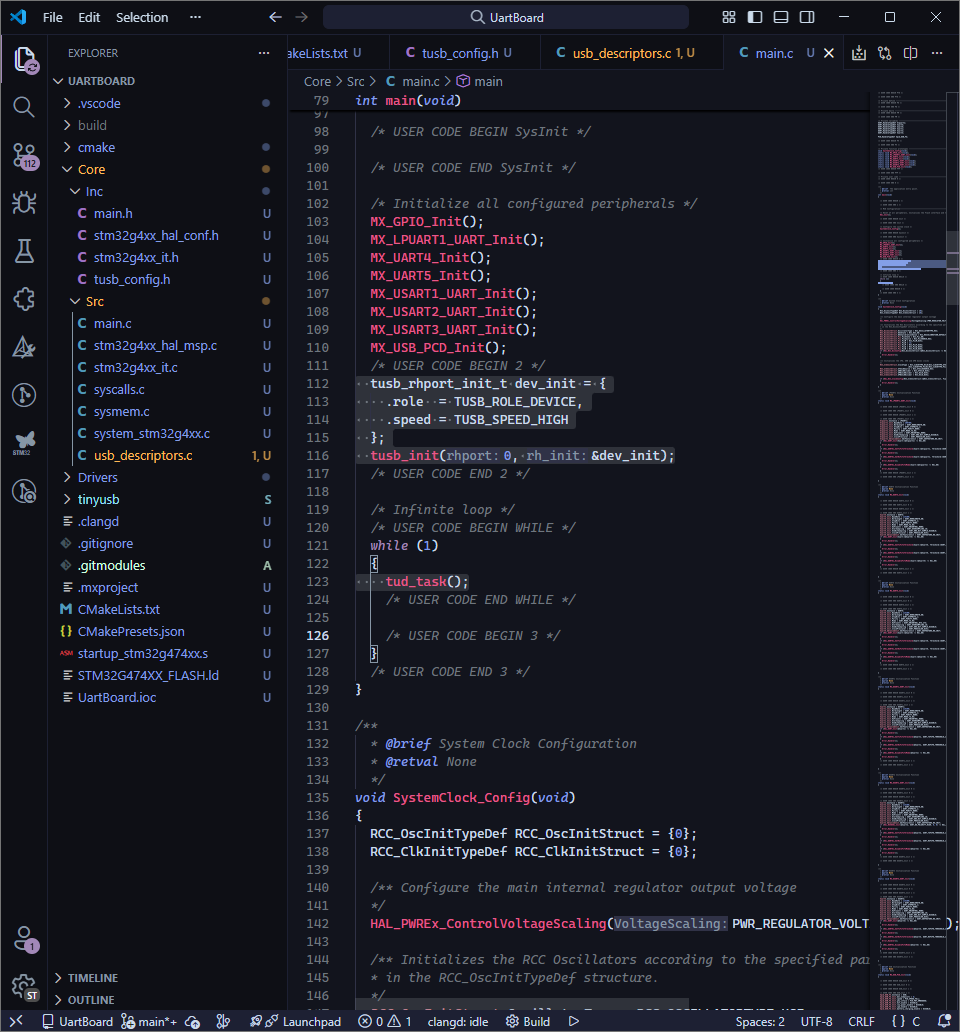
- Add tinyusb’s interrupt handler to the USB interrupt enabled in the NVIC
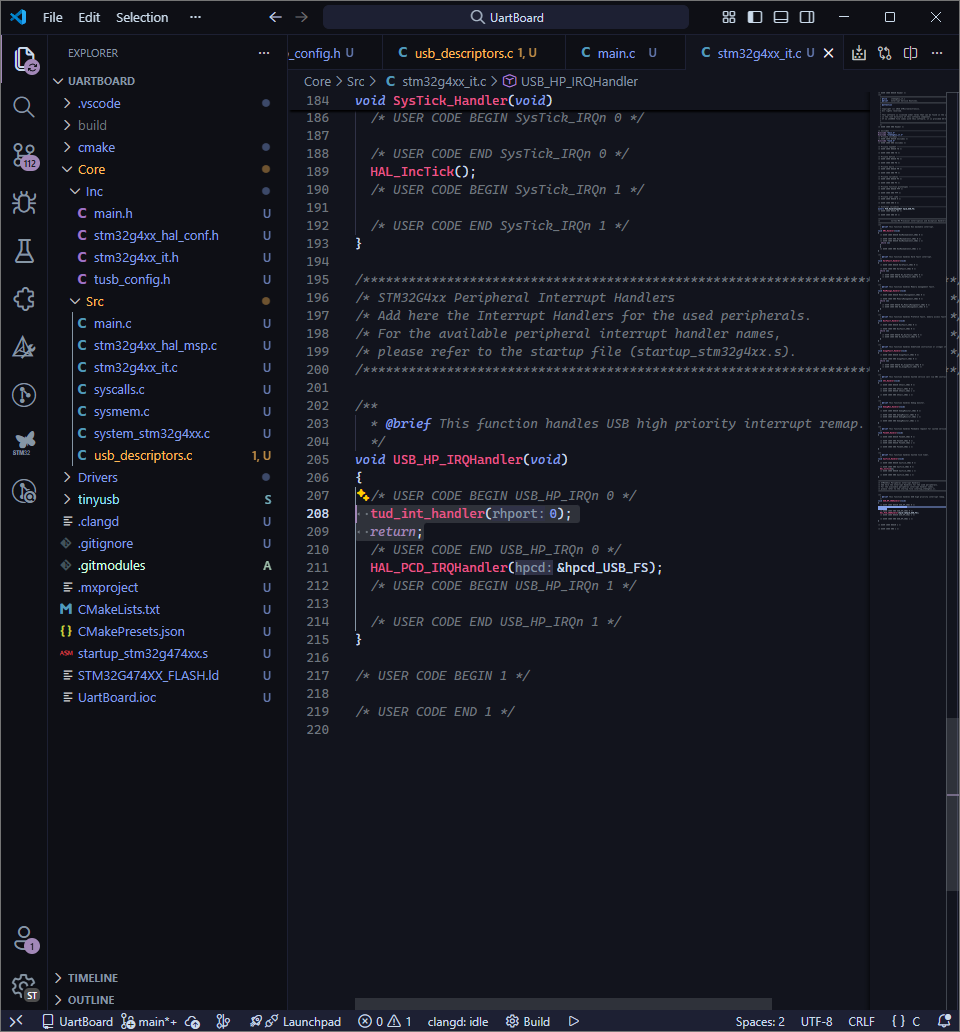
Note: dont forget to include tusb.h